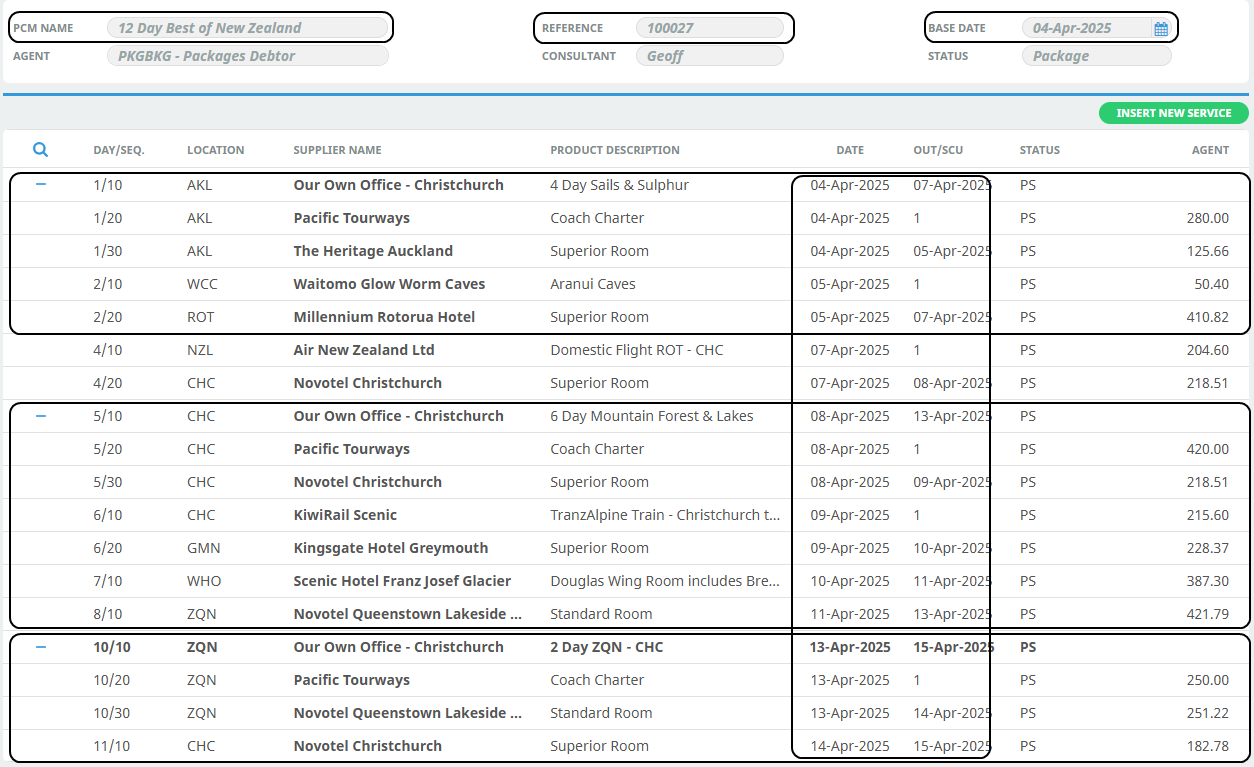
The example Tour Series is made up of 5 PCM’s. They are constructed as follows:
|
|
|
|---|---|---|
|
|
|
|
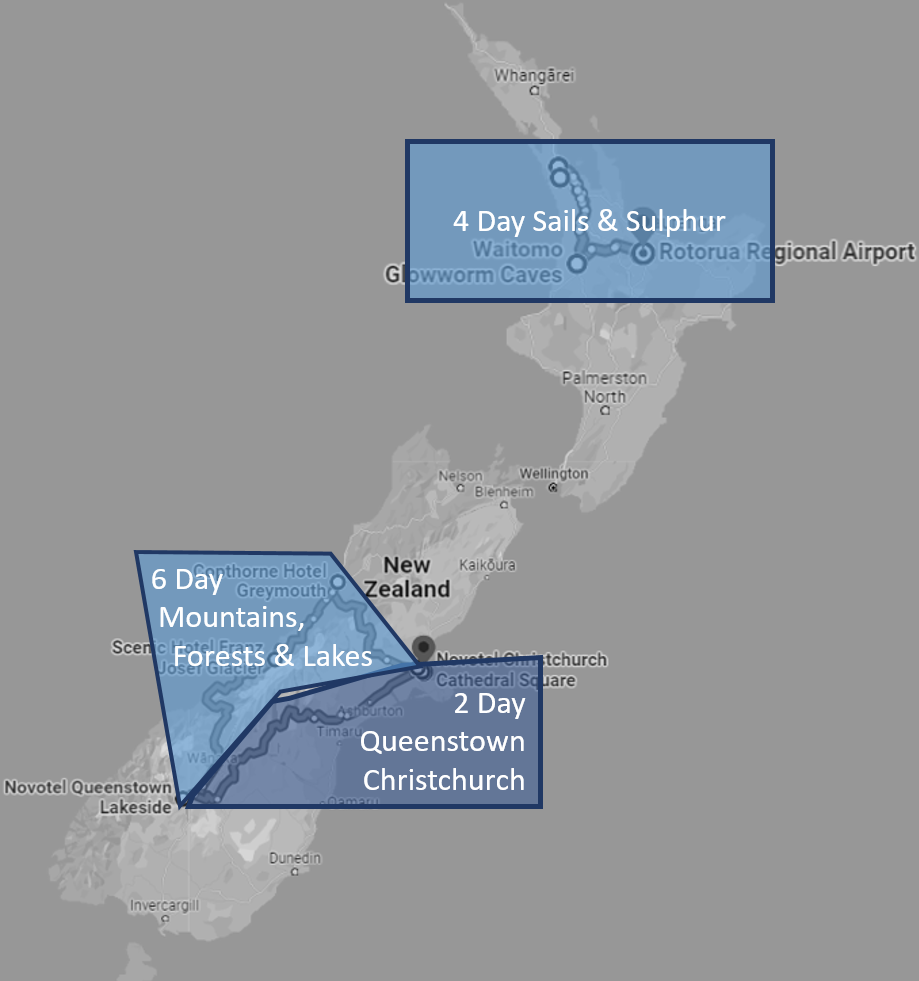
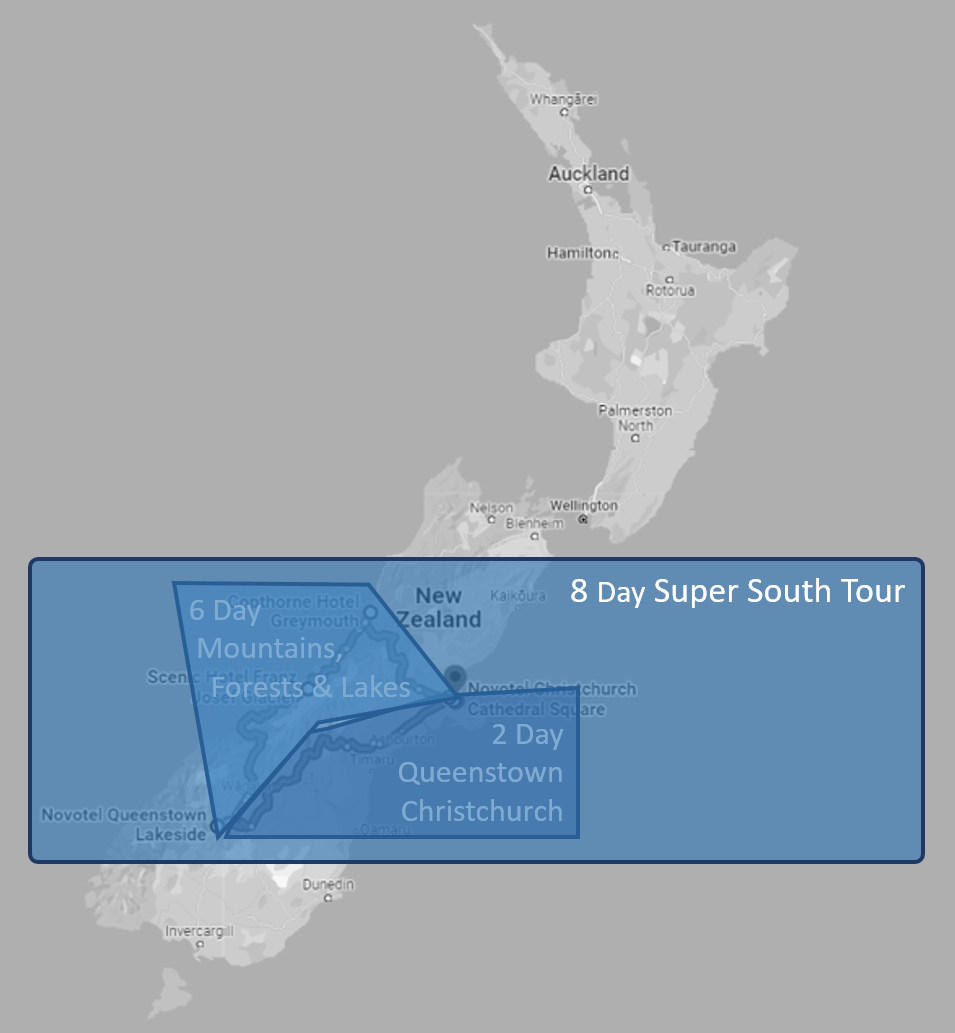
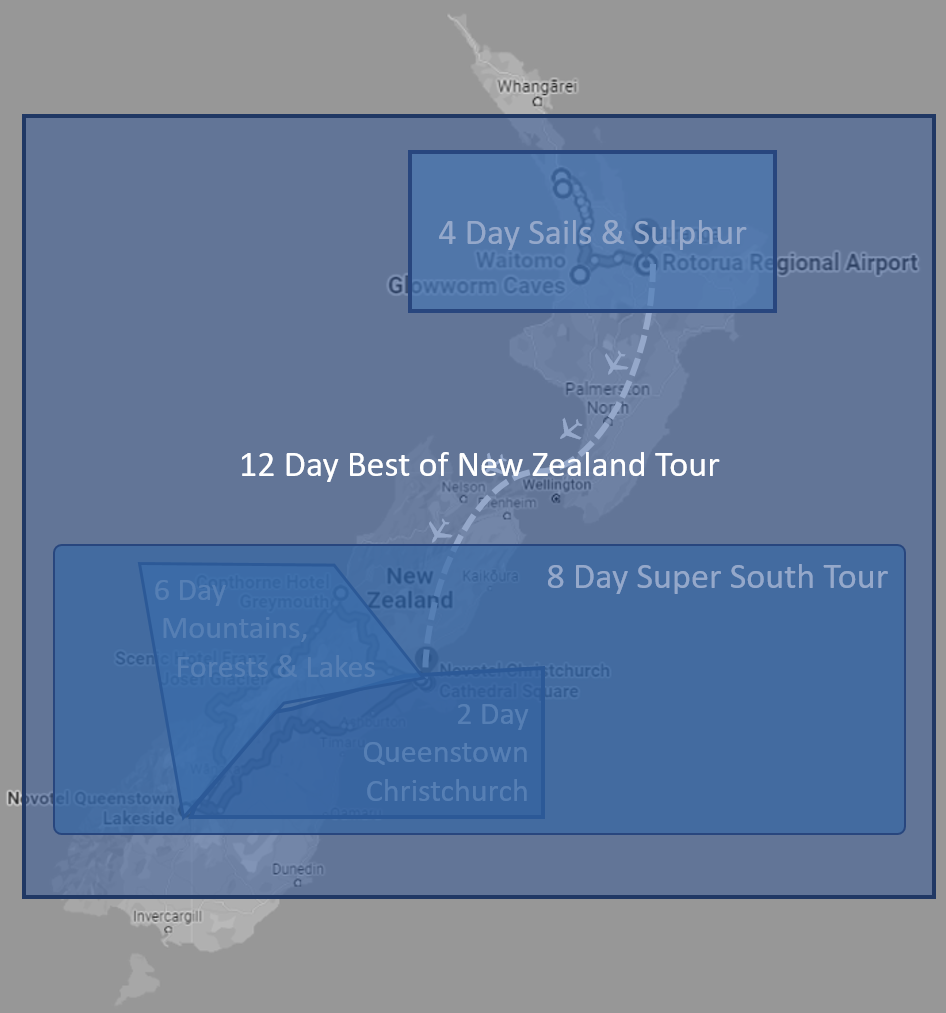
These three PCM’s have standard service options from the product database in them - Transport, Accommodation etc.
- 8 Day Super South Tour
This PCM has Package Products in it – i.e., Products that are attached to the applicable PCM’s as a Package Option. In the 8 Day Super South is the package product attached to the 6 Day Mountains, Forests & Lakes and the package product attached to the 2 Day ZQN - CHC.
- 12 Day Best of NZ Tour
This PCM uses the Package Products of the 4 Day Sails & Sulphur, the 6 Day Mountains, Forests & Lakes and the 2 Day ZQN - CHC . It also has some ‘filler’ services from the product database that join some of the components - e.g., flight from Rotorua to Christchurch and Christchurch accommodation.
NOTE: Detailed instruction on PCM creation can be found in the PCM Quotes User Manual under Creating New PCM's.
The Component PCM’s are used to store the standard services for each of the components. As the system processes a Component Package Tour booking, the services are physically copied into each F.I.T. booking. The Product Database is integrated to get the Service Date cost price and the Package Product attached to the PCM provides the sell price, based on the travel date.
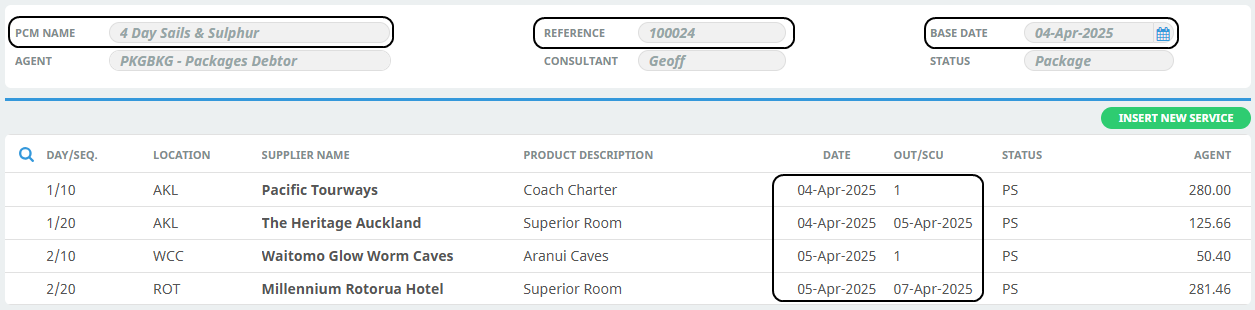
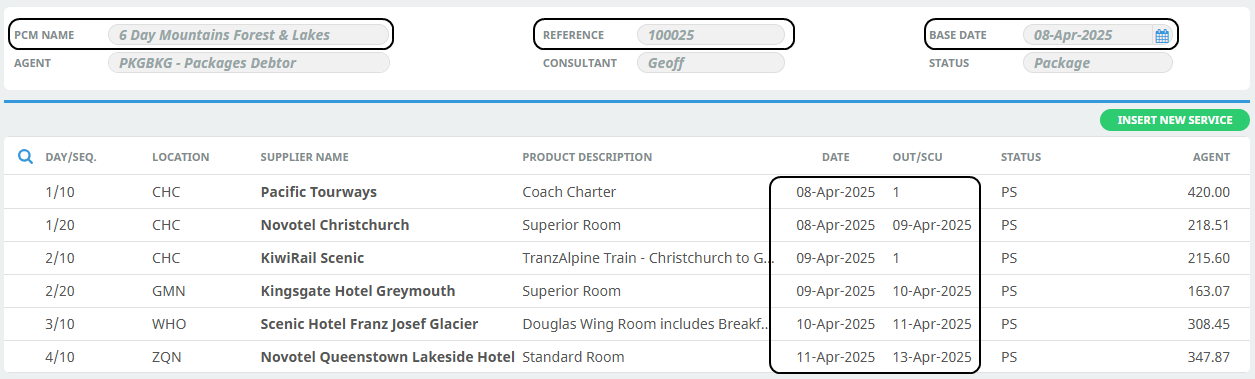
Screen shots of the 3 PCM's that have only "standard" services in them are shown below.
Each PCM has been given the same name as the Tour it is going to be sold as. They all have a PCM Status that indicates they are a Package, and all services have a Package Service status.
4 Day Sails & Sulphur PCM
6 Day Mountains Forest & Lakes PCM
2 Day Queenstown - Christchurch PCM
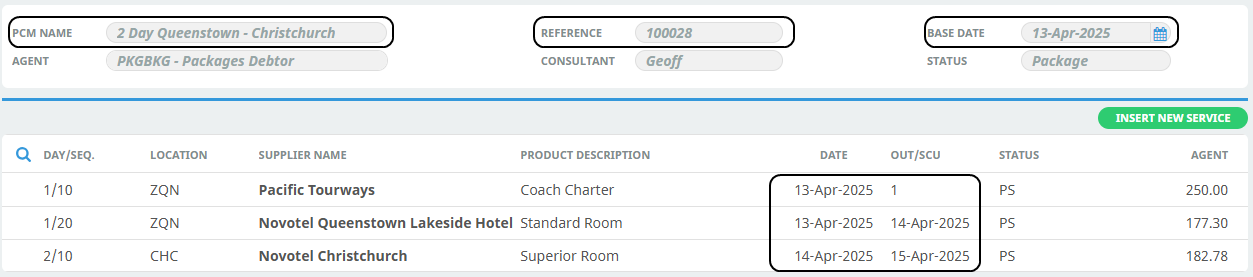
The services in all 3 of the above PCM's are the services that are used by passengers on those particular tours.
8 Day Super South PCM - Collapsed
The 8 Day Super South tour is made up of two other components - the 6 Day Mountains Forest and Lakes and the 2 Day Queenstown - Christchurch.

In the screen shot above, the PCM Services are in a collapsed state. Clicking the + to the left of the Day/Sequence will display the expanded list of services.
8 Day Super South PCM - Expanded
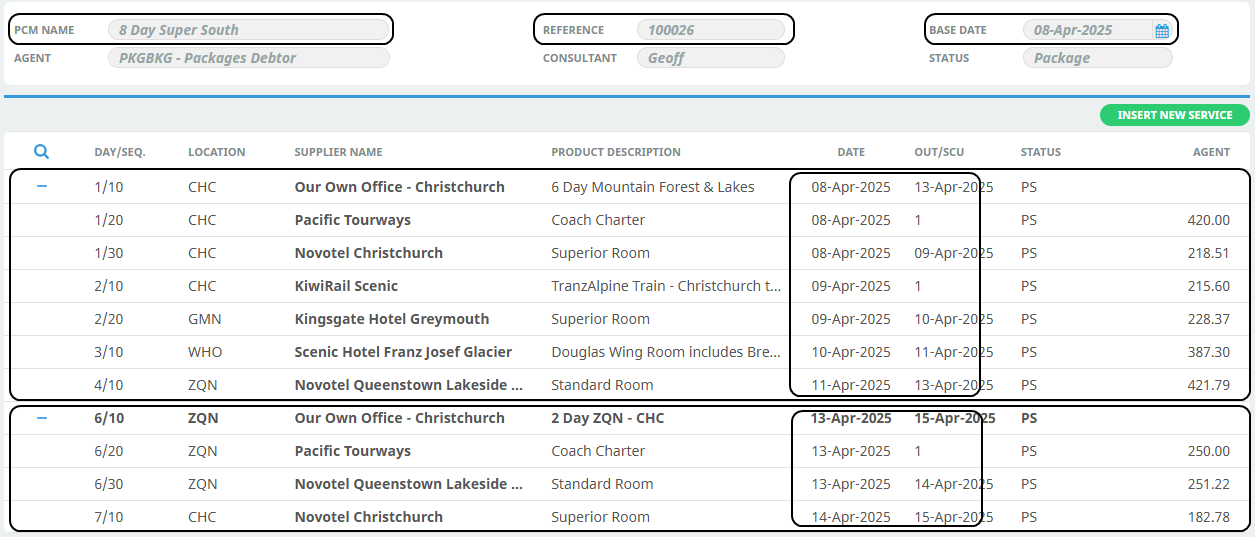
To collapse the services back into the PCM's, click the - to the left of the Day/Sequence (alongside the Package PCM Names.)
- Whether the package services display by default in a collapsed or expanded state depends on the Package Product setup. See Step 4 - Attach Package Products to PCM's
- When the package(s) are collapsed, the total PCM Price displays. When the packages are in an expanded state, the individual service costs display. The costs are from the first pax range of the PCM(s).
12 Day Best of New Zealand - Collapsed
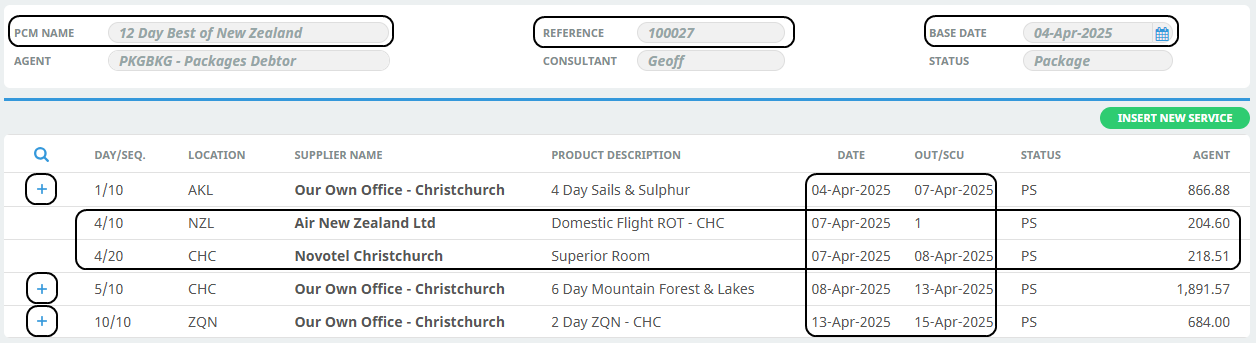
12 Day Best of New Zealand - Expanded